AI Image Relight
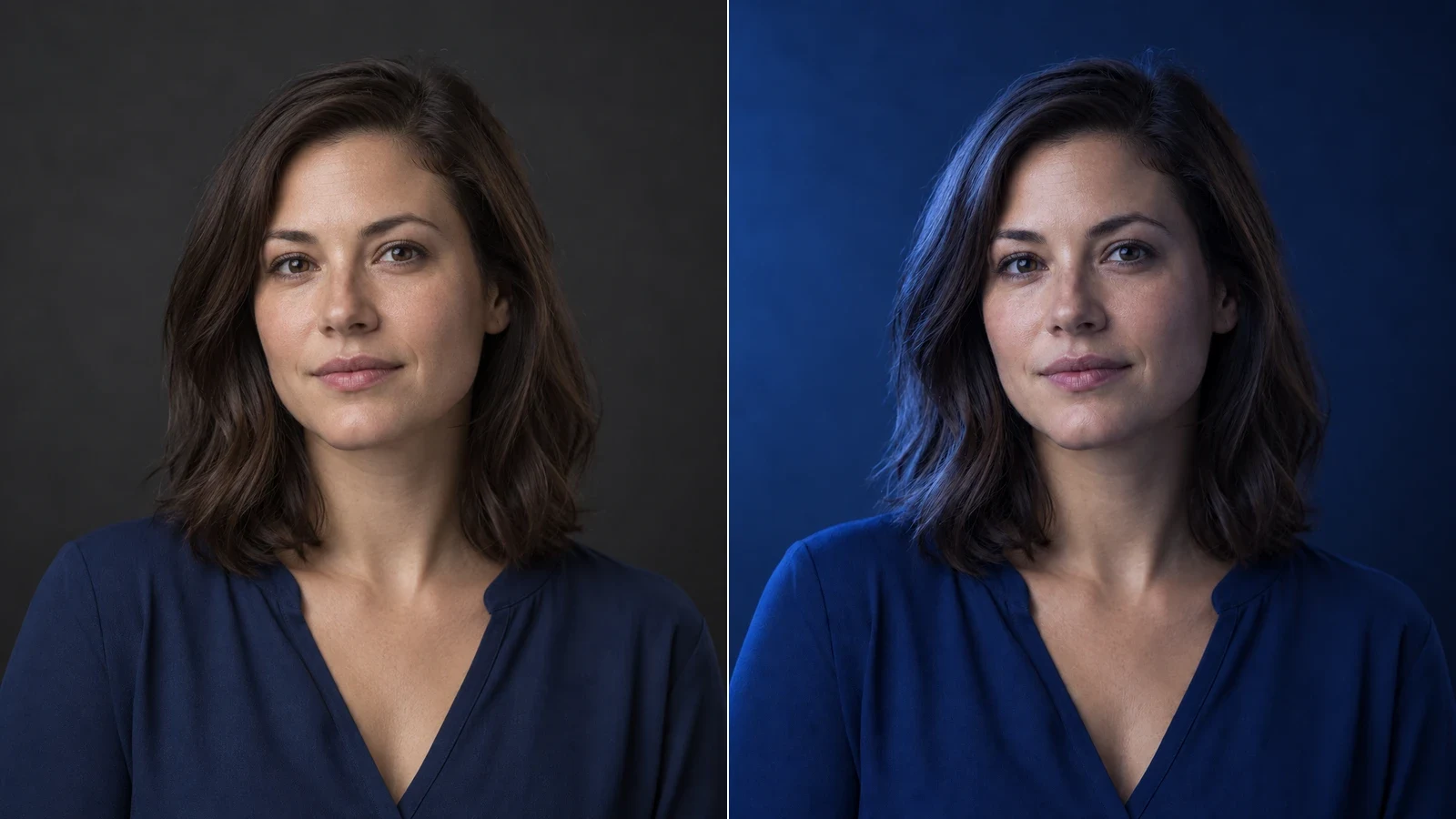
Change the direction and mood of light in a photo while keeping the subject, composition, text, and product details under review.
AI Image Relight
Place the key light
Drag the lighting sphere or choose a preset to move the key light around the subject.
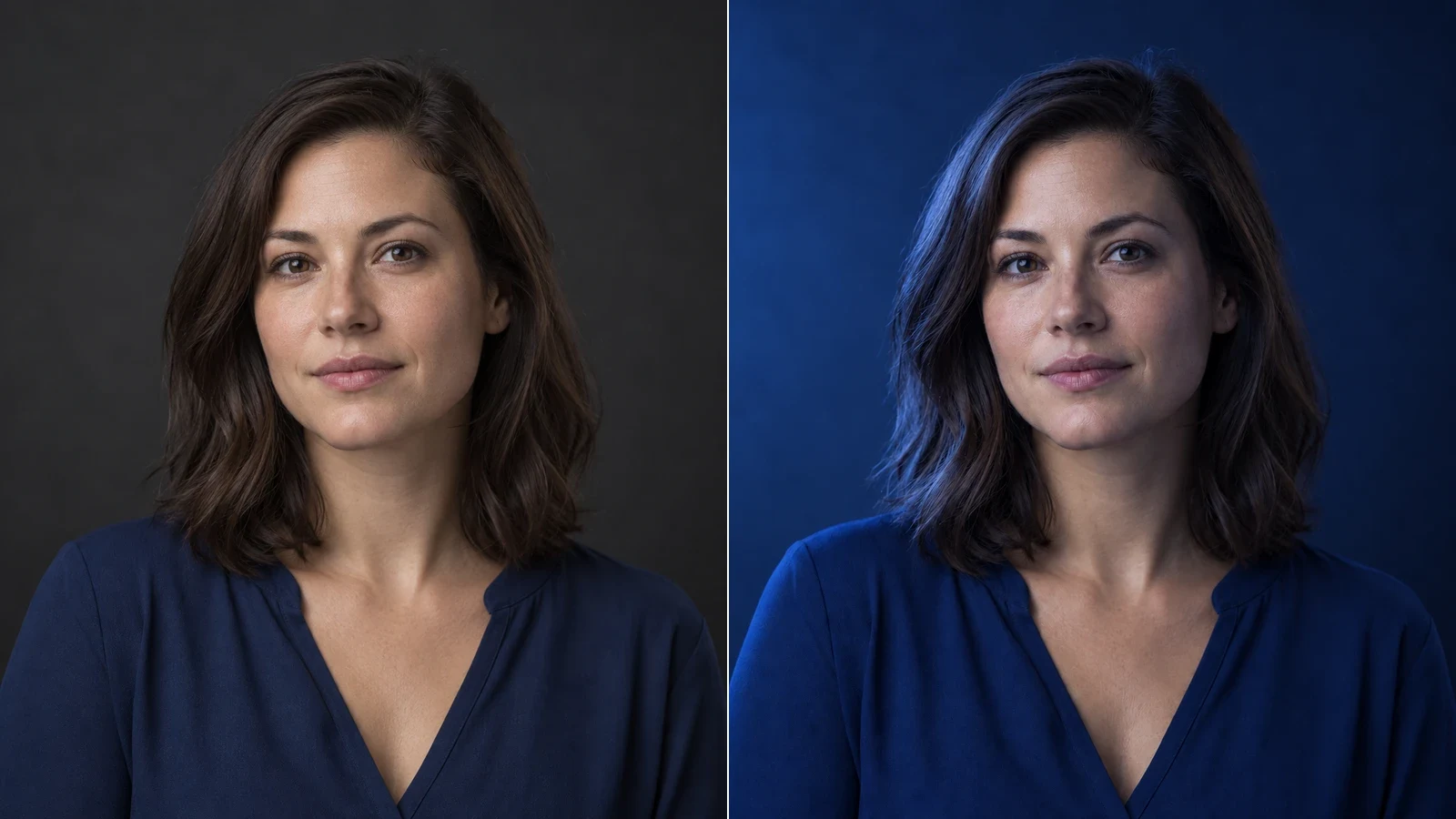
Choose a controlled light style
Apply natural light, sunrise, blue hour, moonlight, neon, and other defined lighting treatments.
Check what the light changed
Compare identity, composition, text, materials, shadows, reflections, and highlights before using the result.
How to Relight a Photo with AI
Upload one clear photo
Use a JPEG, PNG, or WebP with the subject and important details visible.
Set direction and style
Drag the sphere or choose a direction preset, then select one of the controlled lighting styles.
Generate and inspect
Compare the result with the source, especially shadows, reflections, highlights, faces, materials, text, and logos.
Review the result before publishing
Relighting changes several connected visual cues. Check the output against the source rather than judging mood alone.
Subject and composition
Confirm that identity, pose, product structure, camera angle, crop, and background remain consistent.
Shadows and reflections
Look for one coherent light source, contact shadows, reflective surfaces, and highlights that match the selected direction.
Text, logos, and materials
Zoom in on labels, signs, fabric, skin, metal, and glass. Regenerate if lettering warps or material response becomes implausible.
FAQ
What does it mean to relight a photo?
It means changing the apparent direction, color, and mood of illumination while keeping the photographed scene recognizable.
How do I add lighting to a picture?
Upload a photo, choose a light direction and style, generate, then compare the new shadows and highlights with the source.
How do I edit lighting in a photo?
Start with direction, then choose a style. Change one decision at a time so you can identify which setting improved or harmed the image.
Will AI preserve the person or product?
AI edits can change details. Compare faces, shapes, colors, text and logos with the original before using the result.
Why do I see two shadows?
A strong original shadow may conflict with the requested source. Try a clearer, more evenly lit image or a direction closer to the original light.
Can it preserve text and logos?
Preservation is requested, but small lettering can change. Compare every label with the source before publishing.
Resources
How to Relight a Photo with AI
Relight a photo with AI. Adjust light direction, shadows, and lighting style while checking that the subject and composition stay consistent.
AI Image Generator
Create original images from a text prompt or optional reference image. Adjust the aspect ratio and resolution to bring your creative vision to life.
AI Image Editor
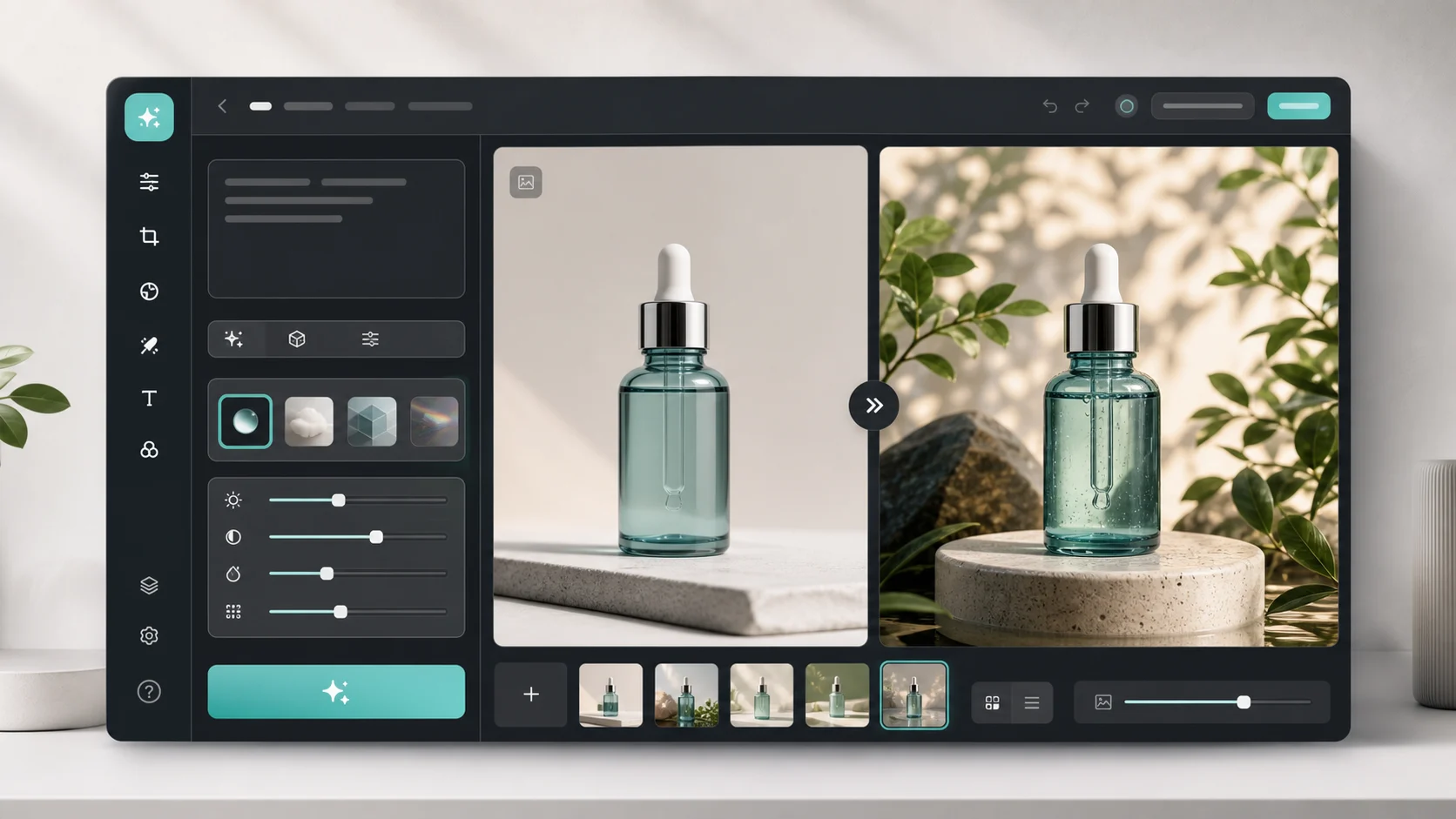
Change the direction and mood of light in a photo while keeping the subject, composition, text, and product details under review.
View pricing
Relight a photo with AI. Adjust light direction, shadows, and lighting style while checking that the subject and composition stay consistent.
AI Image Relight
Change the direction and mood of light in a photo while keeping the subject, composition, text, and product details under review.